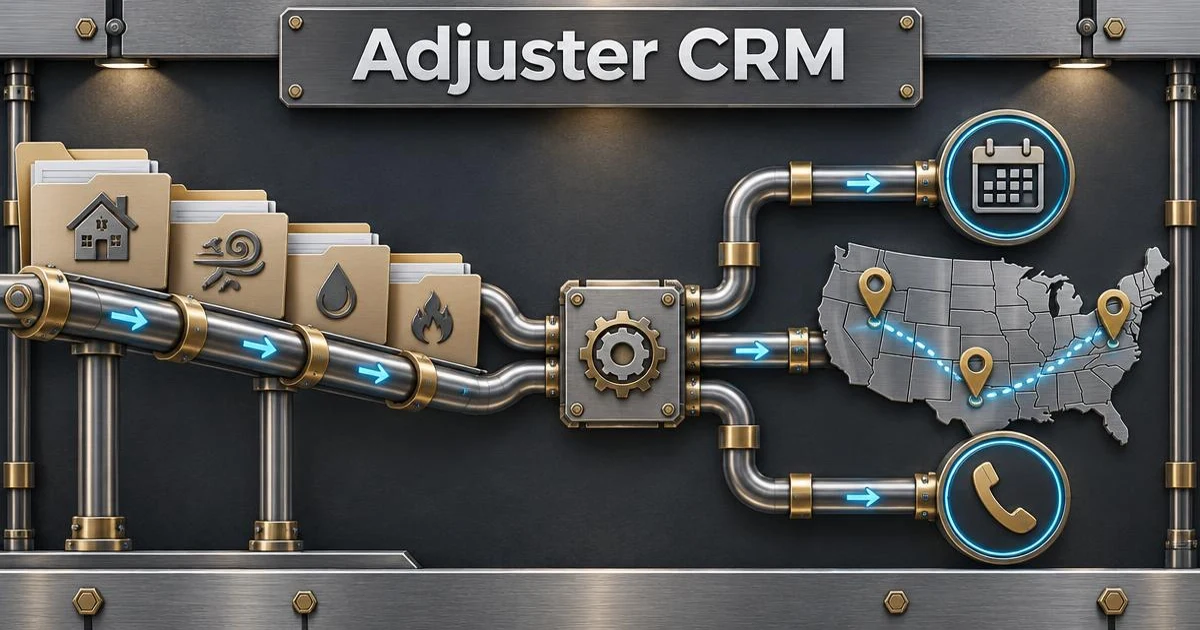
CRM for Independent Adjusters: What It Should Actually Do
By Kevin Sodke
Adjuster Workflow
Search for "insurance adjuster CRM" and most of what comes back is built for someone else. Some are sales CRMs for insurance agents tracking leads and renewals. Others are built for public adjusters, who represent the policyholder and need to manage contracts, fees, and settlement negotiations. An independent adjuster working for carriers and IA firms has a different job, and the software should match it.
I have worked claims as an independent adjuster since 2005. Here is what I think a CRM for independent adjusters has to do, in the order the work actually happens.
1. Get claims in without retyping them
Your assignments live in XactAnalysis or come in by email. If you have to retype the insured's name, phone number, and loss address into another system, you will stop using that system by the second week of a CAT. A real adjuster CRM imports the assignment with the claim number, insured contact information, and property address already filled in.
2. Show you where the claims are
A list of 50 addresses does not tell you much. A map does. Seeing every claim plotted is the first step to deciding which ones belong on the same day.
3. Turn locations into routes and inspection days
This is where most generic CRMs fall short. An adjuster's day is a route, not a sales pipeline. You need to decide how many inspections to run each day, group claims by area, put them in an order that cuts drive time, and put them on a calendar. When an insured reschedules, the day has to be rebuilt without starting over.
4. Handle first contact and reminders
Every claim starts with contacting the insured, and carrier guidelines put a clock on it. Calls, texts, and voicemails need to be logged to the claim automatically, and appointment reminders should go out without you typing each one. Using a business number keeps your personal cell out of it.
5. Keep the whole file in one place
Notes, call logs, texts, emails, photos, and documents belong with the claim. When the desk adjuster asks what happened on a file, the answer should be one click away, not spread across your phone, a notebook, and three apps.
6. Work in the truck
Most of an independent adjuster's day happens in the field. The CRM has to work on a phone: today's route, the claim details at each stop, navigation to the next one, and status updates as you go.
7. Track time and mileage
Time and mileage are part of how you get paid and reimbursed. They should be tracked as you work, not reconstructed on Friday night.
8. Price it for one person
Many independent adjusters work alone. A CRM priced per team, with a sales call to get a quote, is not built for that buyer. Look for a plan a solo adjuster can sign up for and cancel without talking to anyone.
How Claim Route 360 fits
I built Claim Route 360 because I could not find software that did this list for independent adjusters. It imports assignments from XactAnalysis/XA, maps your claims, builds daily routes, and schedules inspections. The mobile app takes the route into the field, and time and mileage are tracked as you go. Phone, SMS, and automated messages are on the Elite plan. There is a free plan, and paid plans start at $49.99 a month. You can see how the route planner works in detail.
FAQ
What is the difference between a public adjuster CRM and an independent adjuster CRM?
A public adjuster CRM is built around representing the policyholder: contracts, fees, and negotiating the settlement. An independent adjuster CRM is built around handling carrier-assigned claims: importing assignments, contacting insureds, routing and scheduling inspections, and documenting the file.
Can I use a general CRM like HubSpot or Pipedrive?
You can, but you will spend time adapting a sales pipeline to a claims workflow, and it will not route your inspections or import your assignments.
Do I need a CRM if I only handle daily claims?
If you handle more than a few claims a week, keeping contact logs, appointments, and notes in one system saves time and protects you when a file is questioned later.